Guide · 2026-10-13 · By the BotRank team
Voice Chat With AI Companions: Voice Messages, Live Calls and What They Cost
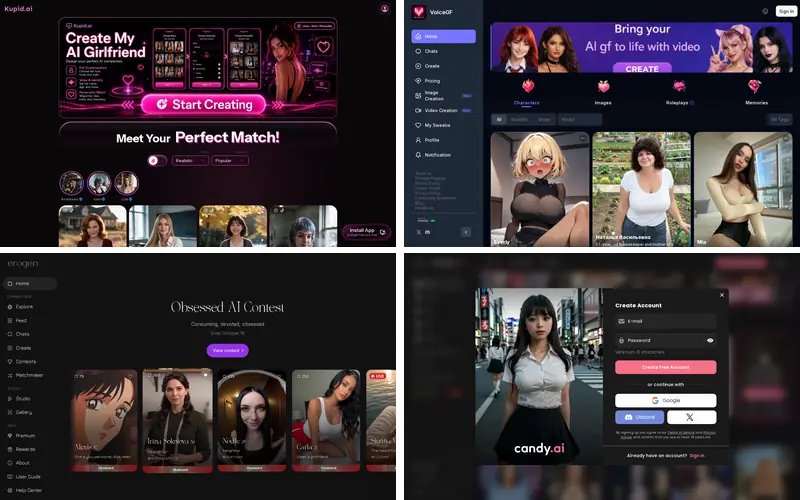
In a nutshell: "Voice" in AI companion apps means one of three things: replies read aloud (text-to-speech), voice messages you record or receive, or live two-way calls. Live calls are the most immersive and the most expensive, usually billed per minute in tokens or credits. Nomi AI includes calls in its flat paid plan. Kupid AI bundles weekly voice minutes. OurDream, Erogen and Candy AI charge per minute in their own currency.
Reading a reply is one thing. Hearing it is another. For many people, voice is what turns a chatbot into something that feels like company. But voice features are also where apps differ most in quality, latency and cost. Here's a friendly tour of what's out there, based on the vendors' own pages and 2026 hands-on reviews.
The three kinds of "voice"
1. Replies read aloud (text-to-speech)
The simplest version. The app writes a reply as usual and then turns it into audio with a synthetic voice. You tap a play button, or the app plays it automatically. Examples include SpicyChat AI's text-to-speech, available on its top I'm All In tier, and Erogen AI's "AI voice" and auto-voice, which cost 5 credits per message on paid plans. Erogen also notes that replaying audio you've already generated is free.
2. Voice messages
These are like voice notes in a messaging app. Your companion sends you a short audio clip, and in some apps you can record one back instead of typing. Kupid AI is built around this. Its Pro plan includes 12 voice minutes a week and Ultra includes 35, and independent reviewers single out its character-specific voices as a highlight. Erogen's "voice messages" feature is speech-to-text: you speak and it types for you. Free users get 40 a day, and paid plans get unlimited.
3. Live voice calls
This is the real-time version. You talk, your companion answers out loud, and the conversation flows without typing. It's the hardest to do well, because every pause matters. Apps offering calls include Nomi AI, OurDream AI, Erogen AI, Candy AI, Swipey AI, Honeybot AI, FantasyGF and Nectar AI, where calls come with the Ultimate plan.
How voice is billed
Calls are expensive for the apps to run, so most of them meter calls by the minute:
| App | Voice features | How it's billed (as published or reported) |
|---|---|---|
| Nomi AI | Voice calls | Included in every paid plan (from $8.33/mo yearly) |
| Kupid AI | Voice messages | 12 minutes/week on Pro, 35 on Ultra |
| OurDream AI | Audio messages, voice calls | Audio messages unlimited on paid plans; calls about 50 DreamCoins a minute |
| Erogen AI | Voice replies, speech-to-text, calls | Voice 5 credits/message; calls 10 credits/minute |
| Candy AI | Voice messages, calls | Tokens; calls about 3 tokens/minute at the stated beta price |
| DreamGF | Voice messages, calls | 3 tokens per voice message; 7 tokens/minute for calls |
| SoulGen | Voice calls in Soul Chat | 1 credit/minute |
| SpicyChat AI | Text-to-speech | Top tier only ($29.95/mo) |
| Swipey AI | Voice calls and messages | Premium ($7.99/mo); Hearts for extras |
Put these numbers next to each plan's monthly allowance and the picture gets clearer. OurDream's own copy says 1,000 coins covers roughly 20 minutes of calls, which is about one longer phone conversation a month on Premium. Erogen's Silver plan includes 1,000 credits, or about 100 minutes of calls if you spend nothing else, and its plan page says exactly that. Nomi stands out by not metering calls separately at all, although long-term testers describe its voice as good rather than best-in-class.
What makes a voice companion feel good
Voice quality isn't just about a pleasant tone. Three things matter more than you'd expect:
- Latency. This is the gap between when you stop talking and when they start. A long-term Nomi tester reported that an early-2026 update cut the pause from about 2–3 seconds to about 1–1.5 seconds, and that the shorter gap is what made calls usable day to day.
- Emotional range. The best voices change pace and tone with the conversation, lighter for banter and slower for serious moments. VoiceGF's whole pitch is built on this. It advertises "whisper-style" voices with tunable pitch, softness and pacing, though we couldn't independently verify its pricing or limits.
- Consistency with the character. A voice that suits the personality you built makes a huge difference. Nectar AI lets you pick from a voice library or generate a custom voice. Swipey AI's builder includes voice selection. Erogen lets character creators choose a voice.
Free ways to try voice
Voice is rarely free, but you can sample it. Erogen's free plan includes 40 speech-to-text voice messages a day, an AI auto-voice preview, and at least 20 credits a month that can go towards voice. VoiceGF offers a demo voice before sign-up. GoLove AI's free tier includes voice messages, though calls are paid. Most other apps keep voice entirely behind a subscription, so check before you assume.
Privacy: voice is more personal than text
Your voice is biometric-adjacent data, and it's worth a moment's thought. Joi AI's privacy policy, for example, says text and voice messages are used to improve replies and develop its AI. Before you speak, check an app's policy for whether audio recordings are stored, whether they're used for training, and how to delete them. If you're not comfortable with the answers, use text-to-speech replies (where you listen but don't speak) rather than two-way calls. And as with text, leave real names, addresses and workplaces out of the conversation.
Tips for better voice chats
- Use headphones. They stop the app picking up its own voice, a common cause of interruptions on calls.
- Keep calls short at first. On metered apps, a few five-minute calls tell you more than one long call that drains your balance.
- Set the scene in text first. A couple of typed messages give the model context before you switch to voice.
- Check the per-minute price on screen before you tap call, because rates can change.
- Turn off auto-voice if your app charges per voice reply and you only want audio sometimes.
Common voice problems and quick fixes
Voice features are newer than text chat, and reviewers report a familiar set of hiccups across apps. Here's what usually causes them and what tends to help.
- The character talks over you. This is usually echo from your speakers. Headphones fix most cases, and so does lowering the volume of the app's own voice.
- Long silences before each reply. Latency depends on the app's servers and on your connection. Try Wi-Fi rather than mobile data, and avoid peak evening hours on apps known for queues.
- The voice doesn't match the personality. Most builders let you change the voice after creation. Pick one that fits the character's age and temperament, and keep it so the character feels consistent.
- The call forgets what you typed earlier. In some apps, calls draw on the same context window as text, so a long call can push earlier details out. A one-line spoken recap at the start of a call helps.
- Your balance drains unexpectedly. Auto-voice on every reply, or a call left running in the background, are the usual causes. Check whether your app charges per voice reply and switch auto-play off if it does.
Which app should you pick for voice?
- Calls without a meter: Nomi AI. Calls are included in its flat paid plans.
- Voice notes as the main event: Kupid AI, ideally on the yearly option.
- Calls plus pictures and video in one place: OurDream AI, as long as you budget your coins.
- Clear, published voice pricing: Erogen AI.
- Low monthly price with calls: Swipey AI.
Our featured partner, Desire AI, focuses on text chat with photos and video where approved media exists. Its pages don't state that it has voice calls, so if voice is your priority, one of the apps above is a better fit today. You can see voice support for every app at a glance in our comparison table. Figures were checked in October 2026.